Small parts counting. One clear signal at a time.
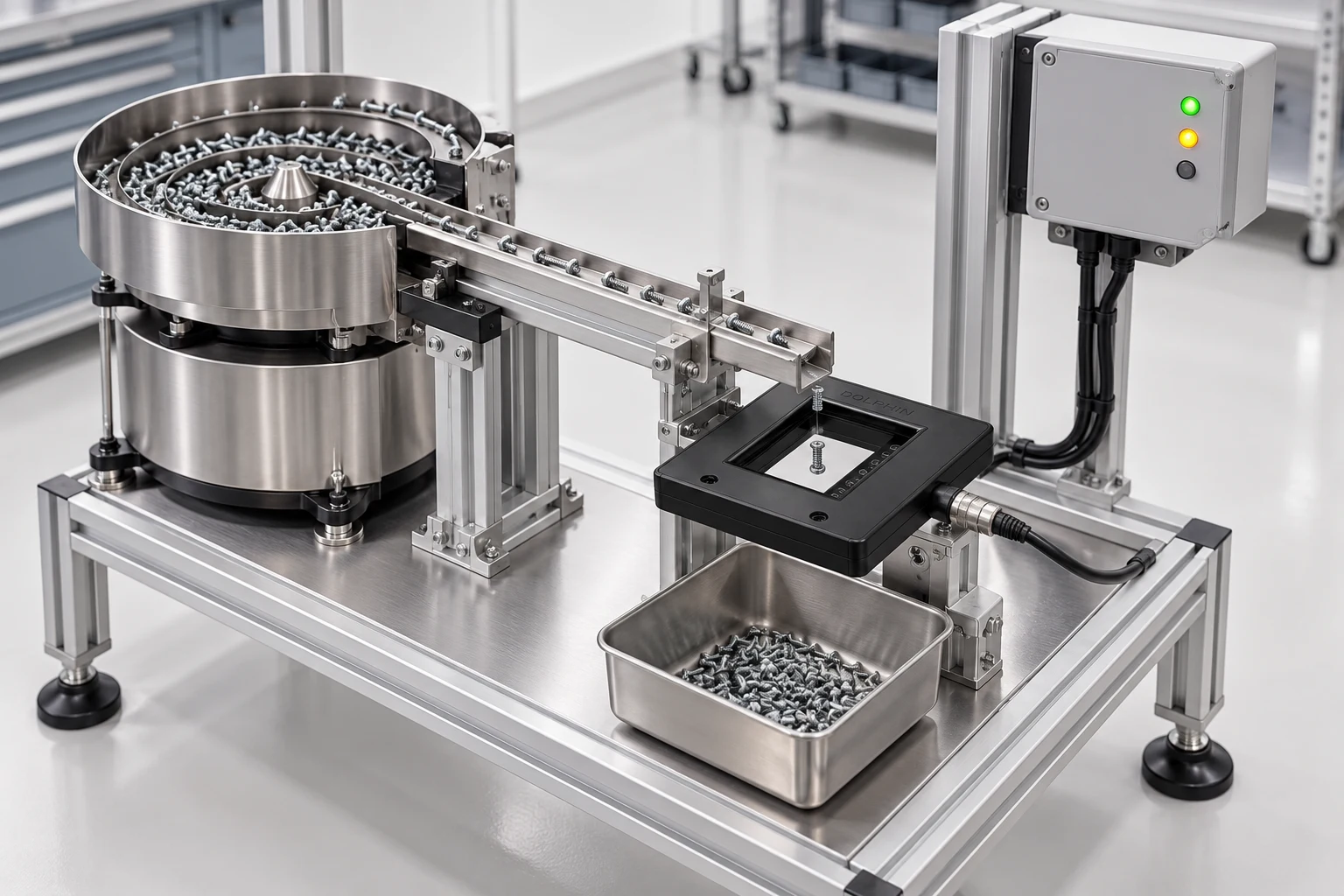
Follow a screw from the feeder to the collection tray. This sample application shows how a matrix counting sensor, controlled part separation and the right PLC input can turn a moving stream of small parts into useful batch information.
- Industry
- Assembly & hardware packaging
- Sensing task
- Count separated parts before collection
- Target
- Individual screws and small opaque components
- Sensing principle
- Optical interruption across a sensing window
The job: count the part, before it reaches the tray.
Small parts counting starts with a controlled feed. In this example, a feeder delivers individual screws to a collection tray. The controller needs a count that can be compared with a batch target before the next operation begins. The useful sensing point is the controlled transfer between the chute and the tray.
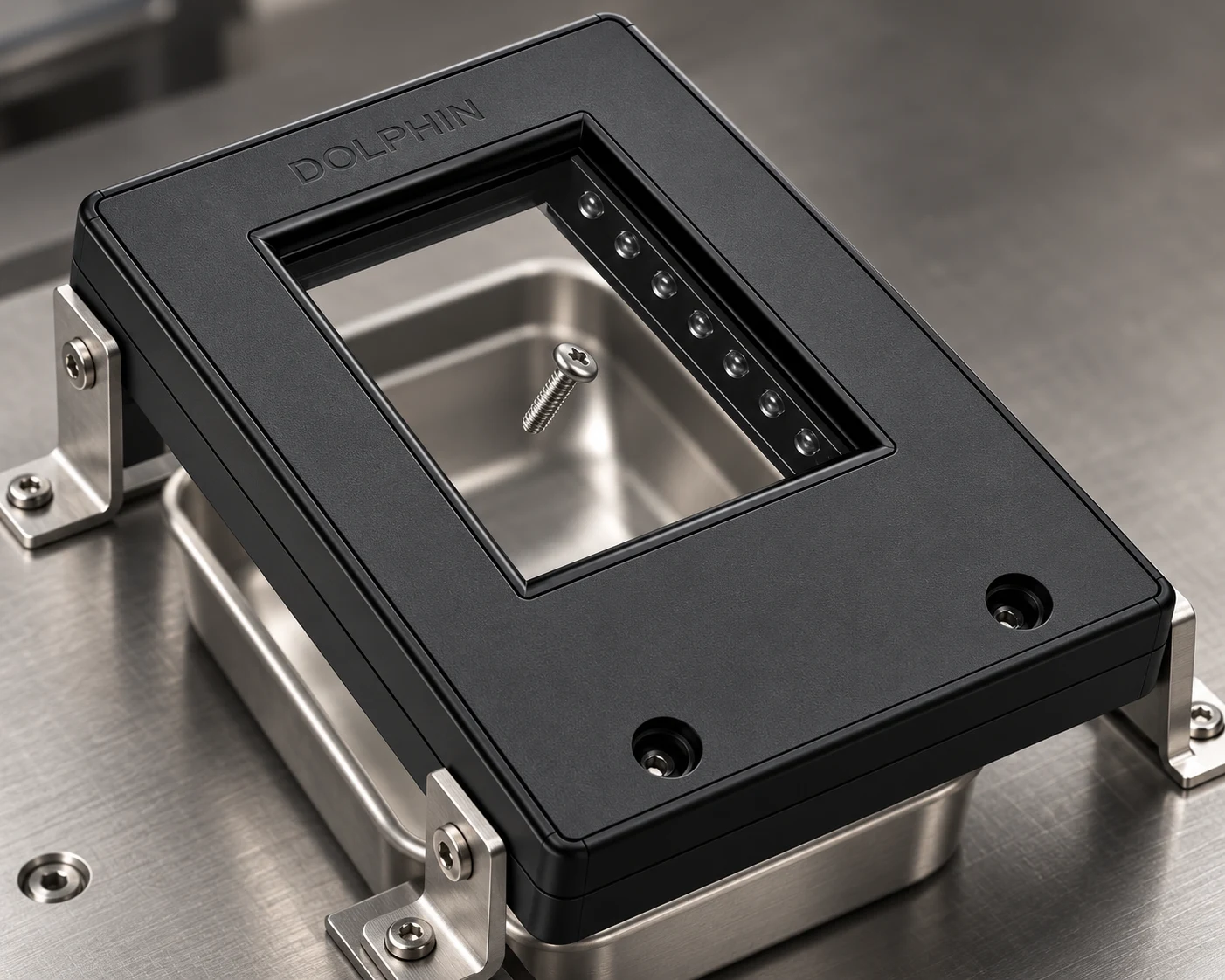
This sample uses a matrix counting frame around the drop path. A passing part interrupts the optical sensing region. The controller converts each valid detection event into a count. That count can support batch tracking or a machine sequence, provided the complete installation has been tested.
This is an illustrative application guide, not a customer case study. No throughput, accuracy or reduction in rejects is claimed.
A clean count starts with a clean flow.
A wider detection window helps accommodate variation in the drop path, but it cannot separate two parts that travel through together. The feeder and chute must present parts individually, with a clear interval between them.
The difficult cases are often mechanical: two screws touching, a tumbling part presenting its thinnest edge, a part bouncing back through the window, or dust collecting at the optical surfaces. Test these conditions deliberately rather than tuning only for the easiest part orientation.
Define the smallest target, all expected orientations and the fastest feed condition first. Then check whether the selected sensor and controller can resolve the resulting interruption and clear intervals.
Inside the sensing window.
The clear aperture is the sensing point. In this drop-counting concept, the frame faces upwards so the separated part passes through the open window. Keep mounting hardware outside that path and confirm usable coverage with the selected model.
Place the window around the controlled drop.
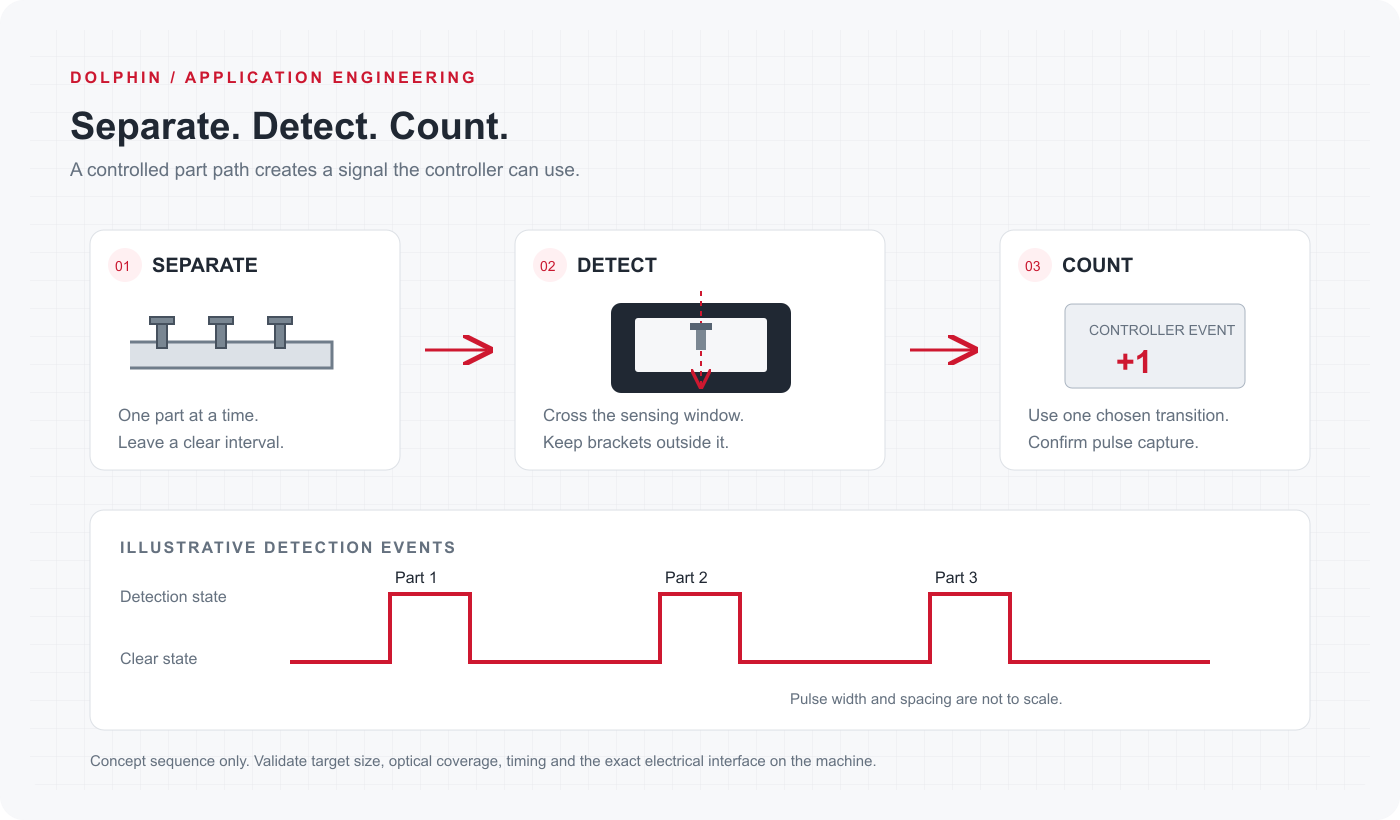
Locate the frame after the point where parts are separated. Keep the chute, brackets and collection tray outside the clear sensing opening, and allow the part to leave the window completely before it can strike another surface. The arrangement below explains the intended sequence; it is not a dimensional mounting drawing.
From one interruption to one controller event.
Use one chosen transition of the detection signal as the counting event. Counting every PLC scan while the signal remains active can count the same part repeatedly. Require the sensing region to return to its clear state before accepting the next event.
The input filter, minimum pulse and break times, sensor response and controller capture method must all suit the actual feed. If the pulses can occur faster than ordinary cyclic sampling can capture, review a suitable high-speed counter input with the controller manufacturer. Siemens documents this distinction for its high-speed counter function; see the reference below.
PNP and NPN are interface choices. Match the exact sensor output to the PLC input circuit and verify the terminal assignment for that model. A product-family illustration is not a substitute for its connection drawing.
From guide track to collection tray.
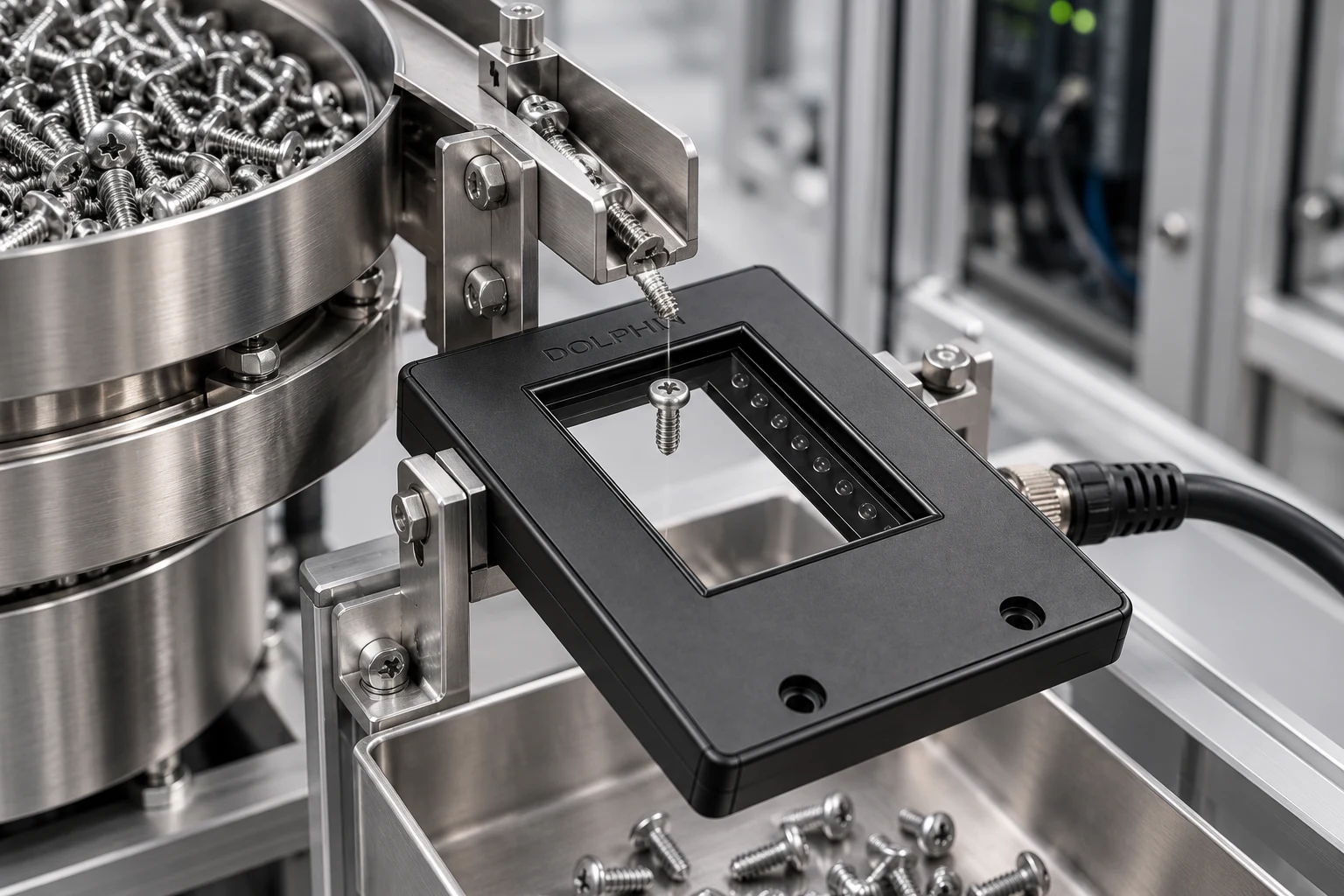
Review the whole drop before commissioning: the chute presents one part, the sensing window stays clear around it, and the collection tray sits below the exit path. Adjust the mechanical arrangement before tuning the controller.
Commission the sensing point, step by step.
Validate the sensor, mechanical flow and controller as one system. Keep a physical reference batch available throughout the trial.
- 01
Define the acceptance test
List the target variants, smallest presentation, orientation changes, feed conditions and agreed counting criteria. Record the physical quantity in each reference batch.
- 02
Set the part path
Adjust the feeder so parts cross individually. Check that each part clears the sensing window and cannot rebound through it from the collection tray.
- 03
Confirm the electrical interface
Choose the NPN or PNP variant to suit the controller. Confirm supply limits, output configuration, input common and terminal assignment using the exact product documentation.
- 04
Check the signal at the controller
Observe the sensor output and input events during the fastest trial. Verify active and clear intervals, input filtering and the chosen counting transition.
- 05
Run the difficult cases
Try the smallest parts, awkward orientations, startup and stop conditions, sparse and dense feeds, and realistic contamination. Compare every trial count with the physical reference.
- 06
Record and release the setup
Record the selected model, mounting arrangement, controller settings and test results. Release the setup only after it meets the agreed acceptance criteria.
What to specify before selecting the model.
These are selection questions for this sample, not sensor ratings. Fill them with the values from your machine and the confirmed datasheet.
| Parameter / check | Application detail |
|---|---|
| Part presentation | One separated part per passage; include the smallest target and its thinnest expected orientation. |
| Detection window | The whole target path must pass through the usable sensing region without touching the frame. Confirm minimum detectable object size and edge coverage. |
| Timing | Measure the shortest interruption and clear interval at the fastest feed. Match sensor response, input filtering and controller capture. |
| Controller interface | Select the NPN or PNP output to suit the PLC input circuit; verify the exact connection drawing. |
| Environment | Check ambient light, dust, oil, cleaning method, vibration and temperature against the selected model’s documented limits. |
| Acceptance evidence | Record physical batch quantity, controller count, operating condition and pass/fail decision for each trial. |
Two overlapping parts can look like one event.
The key design condition is separation. A binary detection event describes an interruption; it does not identify how many overlapping parts caused it. Improve singulation or review a different sensing approach when overlapping parts cannot be avoided.
This process-counting example is not a personnel safeguarding function. Do not treat a counting frame as a safety light curtain or use the illustrated arrangement for machine access protection.
Troubleshoot the sequence, not just the sensor.
Missing counts: inspect overlap first, then the smallest target orientation, the part path, blocked optics and input capture timing. A longer filter can hide a short valid pulse; use the controller documentation when changing it.
Extra counts: look for bounce, vibration, reflections or a part re-entering the window. Confirm that the PLC counts one selected event rather than repeatedly counting an active state.
A signal stuck active: check for a trapped part, a bracket inside the window or contamination before changing the controller logic.
For your own published case study, replace this final section with recorded trial results: the agreed test conditions, physical reference quantities, observed counts and any limits found. Keep unsuccessful conditions visible too.
Sensors for this application.
Review the specifications for your installation. These links show the current published product information.
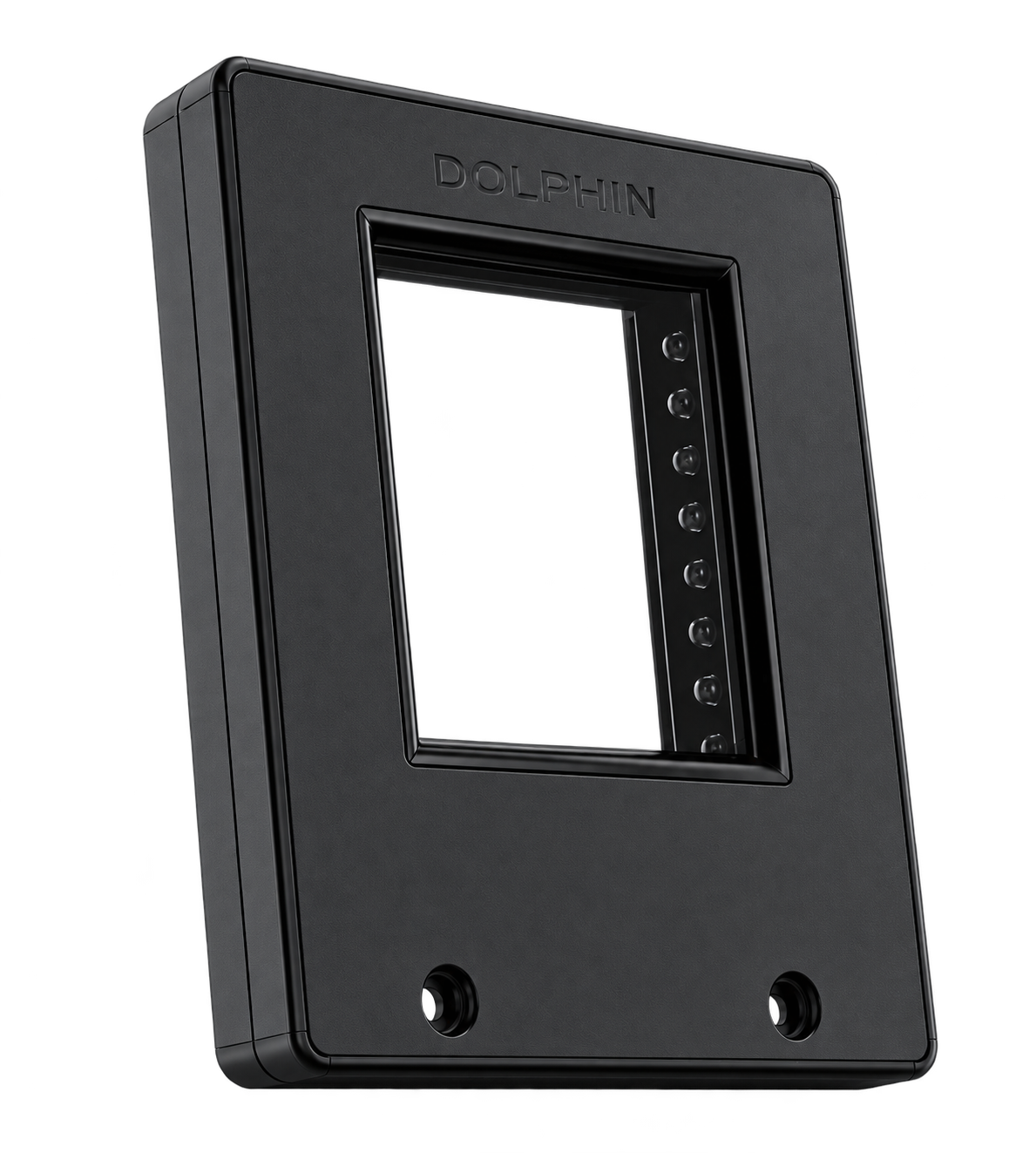
Matrix counting Sensor · PNP
PNP output variant for a compatible PLC input circuit. Review the usable window, minimum target size, response and exact connection details for your parts before selecting this model.
- Housing
- FRAME
- Window width
- 46.6 mm
- Output
- PNP
Matrix counting Sensor · NPN
NPN output alternative for a compatible PLC input circuit. The same application trial is required; NPN and PNP describe the electrical interface, not a difference in counting performance.
- Housing
- FRAME
- Window width
- 46.6 mm
- Output
- NPN
Questions from the application.
Can this count any size of screw?
No. Suitability depends on minimum detectable target size, orientation, coverage within the window and operating speed. Trial the smallest and most difficult presentation using the selected model.
Does a matrix frame remove the need to separate parts?
No. Separate the parts mechanically. Overlapping or continuously touching parts may create one uninterrupted event instead of individual counts.
Should I choose NPN or PNP?
Match the sensor output to your PLC input circuit and its common connection. The related models below identify the available output variants; confirm the complete electrical specification and connection drawing before installation.
Do I need a high-speed counter input?
Review it when ordinary cyclic input sampling cannot reliably capture the shortest pulses and clear intervals in your machine. Confirm sensor response, controller input filtering and counting limits together; there is no universal speed threshold for every controller.
Can I reuse this page for my own application?
Yes. Duplicate this story in Blogs & articles, then replace the machine context, pictures, steps, checks, products and results. Keep the structure that helps your readers and remove sections that do not apply.